


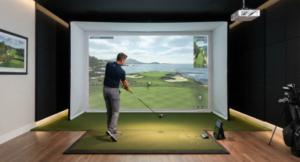




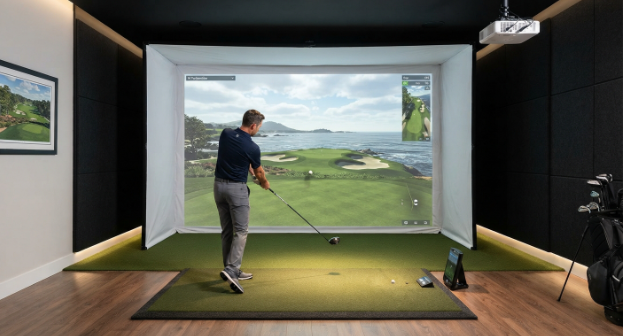
Most home simulator budgets go on the launch monitor, and the screen gets whatever is left over. That is the wrong order of priority. The screen is the one component struck on every single shot, and a grainy, noisy, or bouncy surface will undermine an expensive setup, swing after swing. These are the seven best golf impact screens for indoor golf simulators in 2026, ranked on what actually matters once the ball is moving.
Why the screen decides how your simulator feels
A purpose-built impact screen has to do five jobs at the same time. It must stop a ball travelling well over 100mph, hold a sharp projected image, keep bounce-back to a safe minimum, dampen the crack of impact, and survive thousands of full-speed strikes without tearing or sagging. A bed sheet or a standard home cinema screen fails at nearly all of them.
The dividing line is construction. Budget screens use a single, loosely woven layer that produces a visibly grainy picture and a sharp report on impact. Premium screens use a triple-layer poly spacer build, in which vertical spacer yarns sit between two heavy-duty polyester faces. That middle layer acts as a cushion, absorbing impact energy rather than firing it back at the golfer, and the tighter outer weave reflects more projector light instead of letting it bleed through.
This matters more than it used to, because indoor play is no longer a wet-Tuesday substitute. For a fair number of British golfers, the sim bay is now where most of the practice happens across the whole year, which makes durability and image quality a permanent concern rather than a seasonal one. A screen bought to last one winter is a different purchase from one that will take four sessions a week indefinitely.
The 7 best golf impact screens for indoor golf simulators in 2026
1. GolfBays Pro+ Impact Screen
Best overall for home and light commercial bays
The GolfBays Pro Impact Screen range runs from a reversible dual-layer Pro up to the Pro+, and it is the Pro+ that handles genuine volume. Rather than the poly spacer weave used by most premium rivals, it uses a fibre-bonded material, which produces a notably smooth face for 4K projection and a duller, lower-pitched thud on impact than woven alternatives.
The practical advantages are two. First, the bonded construction has no weave for a spinning wedge shot to catch and fray, which is where most screens fail first. Second, GolfBays tests its screens in its own commercial facility with golfers of every standard, and rates them beyond 200mph ball speed.
Sizes run from 7ft 6in wide up to 16ft 4in, covering both 4:3 and 16:9 projection, with custom fittings available. The screen is backed by a 12-month warranty, and GolfBays ships free within the UK from its Cheshire headquarters, which spares British buyers the customs charges and three-week lead times that come with the American brands. Fitting takes minutes with bungee balls, though a steamer is worth borrowing to lift packing creases before the first session.
The trade-off is that the Pro+ is not reversible, unlike the standard Pro, so you cannot flip it to double its service life.
2. simDIY Premium Golf Simulator Impact Screen
Best value premium screen
Rain or Shine Golf’s simDIY screen is the same fabric used in the company’s SwingBay enclosures, sold on its own for builders putting together their own frame. It uses a ballistics-grade woven polyester blend with a vinyl-coated border and 3/8in nickel grommets, ready to hang with bungees.
The tight weave produces a bright, clean image without the grain of single-layer fabric, and it is rated to 250mph. Correctly tensioned, bounce-back sits at around five feet, which returns the ball to your feet rather than at your shins. Five standard sizes cover the common 4:3 and 16:9 ratios, with custom dimensions on request.
Warranty is shorter than the premium competition at six months, and Rain or Shine recommends rotating your golf balls regularly to slow wear, which is sensible advice whatever screen you buy.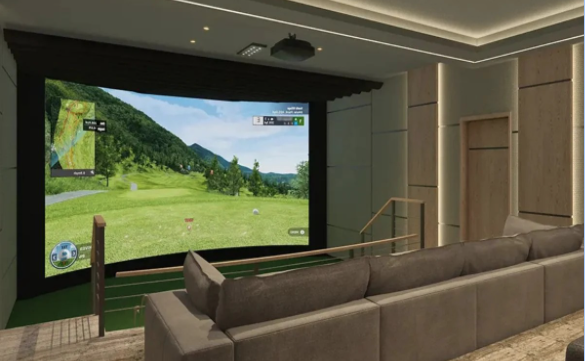
3. SIGPRO Premium Golf Simulator Screen

Best independently tested durability
The Indoor Golf Shop’s SIGPRO Premium was developed over several months with one of the world’s leading mills, and it is the one screen on this list with genuine third-party proof behind it. In independent head-to-head testing by MyGolfSpy, it outperformed the leading competitor across image quality, noise, bounce-back and longevity, which is rare in a category where almost all durability claims come from the manufacturer’s own lab.
Construction is triple-layer poly spacer, rated to 250 mph, with double-stitched black vinyl edges, grommets and heavy-duty hook-and-loop tape sewn into the perimeter. That tape is more useful than it sounds, as it lets you attach netting, blackout panels or foam bumper borders without drilling anything.
The catch is availability. Lead times on premium sizes have historically run into weeks, and UK buyers face shipping and duty on top.

4. Carl’s Place Premium Impact Screen
Best for custom sizing
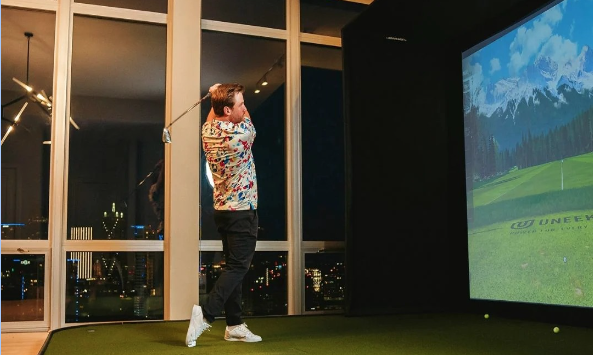
Carl’s Place is the most established name in the market for home simulator screens, and its strength is control. Screens are sewn in-house across more than 27 standard sizes, with genuinely custom dimensions available to the inch, three material grades, and three edge finishes covering plain vinyl and grommets, loop fastener strips, or 7in flaps.
The Premium grade uses triple-layer impact-resistant polyester rated to 250mph. There is also a High-Contrast Gray option built to the same specification, which deepens blacks and lifts colour in rooms that are not fully light-controlled. Ordered as part of a Carl’s enclosure, the screen can be finished with a borderless bottom for a seamless transition from turf to image.
If your room has an awkward pillar, a sloped ceiling or a non-standard alcove, this is the screen that will fit it.
5. Ace Indoor Golf HiQ Screen
Best for commercial bays and heavy hitters
Ace builds for facilities rather than living rooms, and the specification reflects it. Its HiQ commercial-grade screens are made from heavier fabric at roughly 15oz per square yard, against the 8oz typical of budget screens, with a higher needle count that lifts both brightness and colour saturation.
Ace also offers a two-piece system in which a replaceable front screen sits ahead of a rear screen, so a facility taking thousands of shots a week can swap the worn face rather than the whole assembly. For a busy coaching studio or a commercial bay, that changes the running cost meaningfully.
For a home setup hit a few times a week, it is more screen than most golfers need, and the price reflects that.
6. HomeCourse ProScreen 180
Best retractable option for shared garages
If the room doubles as a garage, a fixed screen is a permanent obstruction. The ProScreen 180 retracts into a ceiling-mounted housing at the press of a button, taking you from parked car to full simulator in under a minute and back again when you need the space.
The convenience comes at a real cost. It is among the most expensive options here, the motorised mechanism adds a point of failure a plain screen does not have, and a retractable surface cannot match the impact absorption of a fixed triple-layer screen. Ceiling mounting also demands solid fixings and enough clear height for the housing.
For anyone whose alternative is not having a simulator at all, those trade-offs are easy to accept.
7. Cimarron 10ft x 10ft Impact Projection Screen
Best budget DIY screen
Simple, square and made from 100% commercial-grade polyester, the Cimarron is the screen most self-build setups start with. It takes real balls at high speed, projects acceptably flat and white, and doubles as an impact or baffle net, being thicker than a standard baffle.
The top-stitching secures to almost any frame with bungee or rope, so it suits a timber or conduit build where the frame dimensions are yours to set. At 10ft by 10ft it is square, which means noticeable dead space if you project in 16:9.
Image quality does not match the multi-layer screens above, and impact noise is higher. It is the right screen for a first build with a tight budget, and the one most golfers eventually replace.
| Screen | Construction | Best suited to | Key strength |
| GolfBays Pro+ | Fibre-bonded | Home and light commercial | Smooth 4K face, UK shipping, 12-month warranty |
| simDIY Premium | Woven polyester blend | DIY frame builds | Premium performance at a lower price |
| SIGPRO Premium | Triple-layer poly spacer | Proof-driven buyers | Independently verified durability |
| Carl’s Place Premium | Triple-layer poly spacer | Custom room shapes | Sizing to the inch, borderless bottom option |
| Ace HiQ | Heavyweight woven | Commercial bays | Replaceable front screen, 15oz fabric |
| HomeCourse ProScreen 180 | Retractable | Shared garages | Clears the space in under a minute |
| Cimarron 10×10 | Single-layer commercial polyester | First budget builds | Doubles as a baffle net |
How to choose the right impact screen for your room
The screen plays a key role in how reliably the simulator reads each shot. The case that simulators are accurate enough to genuinely improve your game rests on the numbers being trustworthy, and that assumes the ball behaves predictably when it reaches the screen. A surface that flexes inconsistently, or that sends balls back into the hitting zone, corrupts both the data and the practice. Choosing well involves four decisions.
Size and aspect ratio
Measure before you shop, and measure the usable space rather than the wall. Your ceiling height, swing clearance and projector throw distance all cut into what you think you have. Most simulator screens are built around 4:3, which suits the typical home room shape and keeps the image close to square. Go for 16:9 only if your room is genuinely wide and your projector is set up for it, otherwise you will project a letterboxed image onto a lot of blank fabric.
Leave roughly 30cm of clear space behind the screen. Enclosures build the screen in, but a wall-hung DIY screen with a brick wall directly behind it will bounce balls hard and wear through quickly.
White or grey
White produces the brightest, most vibrant image, but only in a room with proper light control. Grey and high-contrast finishes trade a little peak brightness for deeper blacks and better colour in rooms with windows or ambient light spill.
Before paying the premium for a grey screen, deal with the light itself. Blackout blinds or heavy curtains are considerably cheaper than a screen upgrade, and getting the lighting right when setting up an indoor simulator room with the right curtains often removes the need for a contrast screen altogether. Check the room at different times of day before choosing the screen colour.
Bounce-back and tension
Bounce-back is the single biggest safety issue in a home bay, and it is worth understanding the energy involved. USGA and R&A ball testing data puts the average male recreational swing at around 93mph, producing ball speeds near 135mph, while the fastest 25 players in professional golf average 183.4mph. A ball returning off an over-tightened screen at any fraction of that carries real force.
Hang the screen with enough slack that you can push your hand several inches into the centre. A drum-tight screen returns the ball at speed, makes considerably more noise and wears faster, because the fabric cannot move to absorb the strike. Multi-layer screens help, but no construction compensates for over-tensioning.
Budget
Screen prices span an enormous range, and the differences are real rather than cosmetic. Cheaper screens mean fewer layers, looser weave and lower fabric weight, which shows up as grain in the image, more noise and a shorter life.
A reasonable rule is to spend roughly what you would spend on a decent projector. Spending five figures on a launch monitor and then hitting into a bed sheet is the most common mistake in home simulator building.
Installation mistakes that shorten screen life
Most screens that fail early were not defective. They were installed badly or fed the wrong golf balls.
- Over-tensioning. Covered above and responsible for more premature wear than any other single factor.
- Dirty or scuffed balls. Marked balls transfer that damage straight to the fabric. Clean, undamaged balls make a measurable difference to screen life.
- Hitting off-centre habitually. Wear concentrates where the ball lands. If your bay setup pushes your impact point to one side of the screen, move the mat rather than living with it.
- Leaving creases in. Packing creases become permanent wear lines under repeated impact. A steamer or a warm iron on a medium setting flattens them before first use.
- Ignoring the rear gap. A screen hung flat against masonry has nowhere to travel and will tear where the ball meets the wall behind it.
Frequently asked questions
How long should a golf impact screen last?
A premium multi-layer screen used a few times a week at home should last several years. Commercial bays taking thousands of shots a week will typically replace a screen annually. Ball condition, tension and how consistently you strike the same spot matter more than the brand.
Can I use a normal projector screen instead?
No. A home cinema screen is not built to absorb impact and will tear within a handful of shots. It also lacks the multi-layer construction that controls bounce-back, making it genuinely unsafe to hit into.
What ball speed rating do I actually need?
The actual ball speed rating is far less than the marketing suggests. The average male club golfer generates around 135 mph ball speed, and even elite professionals sit in the 180s. Any screen rated to 200mph or above has ample margin, and the rating is best read as a proxy for material quality.
Is a grey impact screen worth the extra cost?
Only if you cannot control the light in your room. In a fully blacked-out space, white gives you a brighter, more vivid image for less money. In a room with windows, grey delivers noticeably better contrast.
How much space do I need behind the screen?
Around 30cm as a minimum. Purpose-built enclosures include this gap by design. Without it, balls hit an unyielding surface, bounce back hard and wear the fabric through at the impact point.
Can I fit an impact screen myself?
Yes. Most screens hang from a frame using bungee balls, ball cords or zip ties through grommets and take under an hour with two people. The frame is the harder part of the job, and the main skill in hanging the screen is resisting the urge to pull it tight.
Why is my screen so loud?
Usually tension, sometimes construction. A tight single-layer screen produces a sharp crack that carries through a house. Slackening the screen helps immediately, and moving to a triple-layer or fibre-bonded construction cuts it further by absorbing rather than reflecting the impact energy.
Do impact screens work with any launch monitor?
Broadly, yes, though placement varies. Camera-based units sitting overhead or beside the ball are unaffected by the screen. Radar units need adequate distance behind the ball and a clear flight path to the screen, so check the manufacturer’s minimum room depth before committing to a layout.
Can I put an impact screen in a garage?
Garages are the most common location for home simulators in Britain. The considerations are ceiling height, temperature and dust. If the space is still needed for a car, a retractable screen solves the problem, though a fixed screen on a rolling frame is a cheaper alternative.
How do I clean a golf impact screen?
Spot-treat marks with a drop of washing-up liquid and warm water, applied with a clean cloth. Avoid bleach, solvents and abrasive pads, all of which damage the fabric coating. Keeping your golf balls clean is a far more effective strategy than cleaning the screen after the fact.
Choosing an impact screen means matching construction to how hard the bay will actually be worked, then installing it loosely enough to do its job. Get the tension and the rear clearance right, feed it clean balls, and a well-made screen will outlast the projector hanging above it. Get those things wrong and the most expensive fabric on the market will still be showing wear marks by spring.
Read the full article here


